IPTV Smarters Pro Complete UK Setup Guide for Every Device in 2026
IPTV Smarters Pro is a free IPTV player app that lets you stream live TV channels, on-demand content and catch-up TV on almost any device. It connects to your IPTV subscription via Xtream Codes (server URL + username + password) or an M3U URL. It’s available free on the Amazon App Store (Firestick), Google Play (Android) and — as Smarters Player Lite — on the Apple App Store (iPhone / iPad). No subscription is included — you need separate IPTV credentials from a provider like IPTV UK Spot.
What Is IPTV Smarters Pro?
IPTV Smarters Pro is a media player application, not an IPTV service. It doesn’t provide any channels, movies or live sport by itself — it’s the interface through which you access your IPTV subscription. Think of it as the equivalent of a web browser: the browser doesn’t create websites, it opens them. Smarters Pro doesn’t provide channels, it plays them.
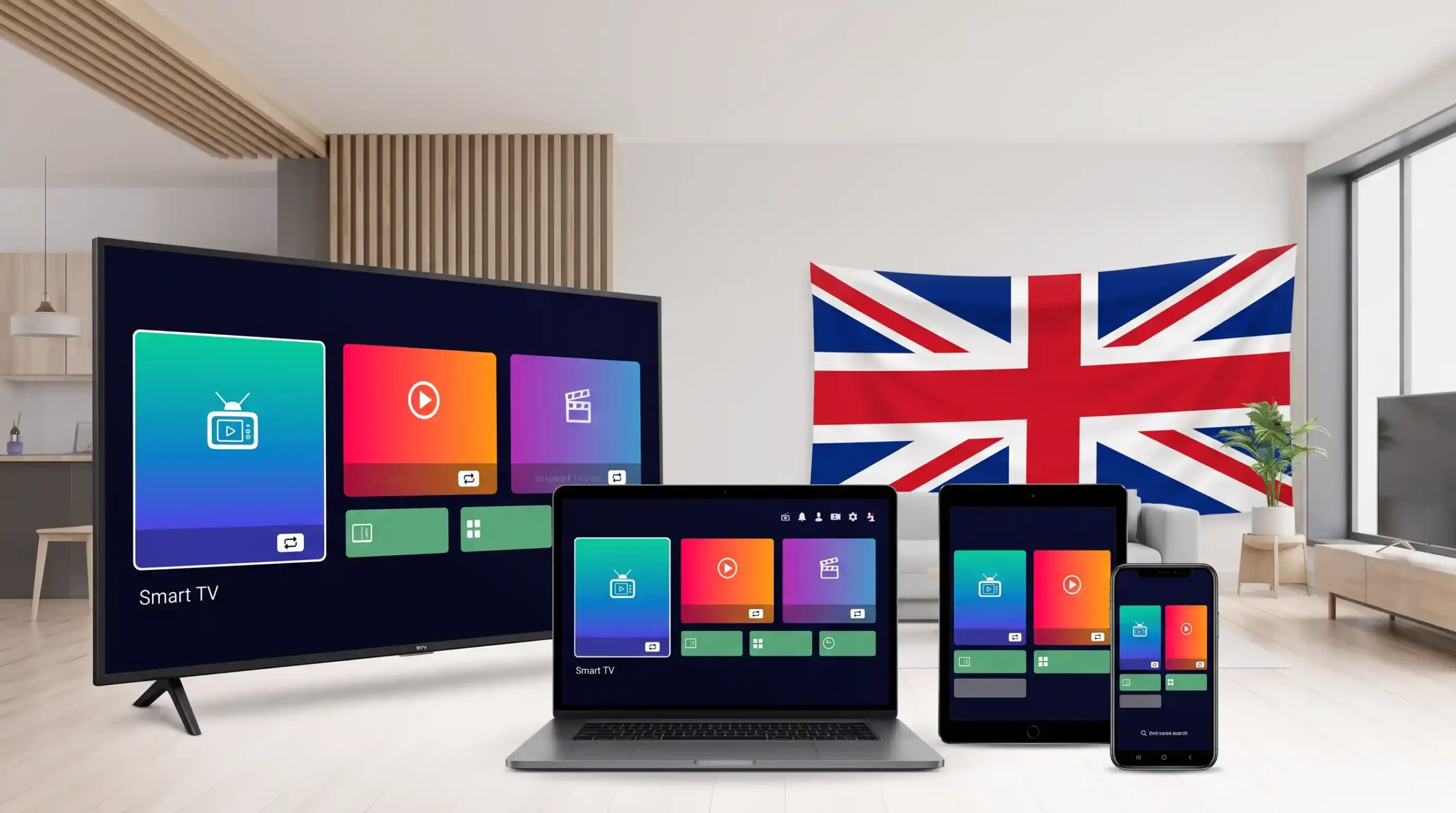
What makes it one of the most widely used IPTV players in the UK in 2026 is its universal device compatibility. A single set of Xtream Codes credentials from IPTV UK Spot can be loaded into Smarters Pro on your Firestick, your Android phone, your iPhone (as Smarters Player Lite) and your Windows PC — all simultaneously, using the same login. No other free IPTV player covers as many platforms.
The app is developed by WHMCS Smarters and is completely free. There are no in-app purchases, no premium tier and no subscription. The only cost associated with IPTV Smarters Pro is your underlying IPTV subscription — the credentials it needs to connect to a provider’s servers.
At a Glance
Live TV with EPG
Browse channels by category with a built-in Electronic Programme Guide. The EPG loads automatically from your provider — no manual setup required when using Xtream Codes.
Movies & Series (VOD)
Dedicated sections for on-demand films and box sets, separate from live TV. Browse, search and filter your provider’s full VOD catalogue from the same app.
Catch-Up TV
Where your IPTV provider supports catch-up, Smarters Pro exposes it natively. Rewind and watch programmes from the past 7 days on supported channels.
Multiple User Profiles
Add more than one IPTV account to a single install — useful for households with two subscriptions, or if you’re testing different providers.
Parental Controls
PIN-protect selected channels or content categories. Useful for households where children also use the same device and subscription.
Decoder Settings
Switch between hardware (HW) and software (SW) decoding in player settings. Hardware decoding is smoother on most devices; software decoding is better for 4K compatibility on some older hardware.
Which Devices Support IPTV Smarters Pro?
IPTV Smarters Pro runs on almost every device UK viewers use. The app name changes slightly on iOS — it’s called Smarters Player Lite on the Apple App Store.
How to Set Up IPTV Smarters Pro
Select your device. Once the app is installed, the credential entry process is identical on every platform — only the download method differs.
Firestick — App Store Method (Recommended)
IPTV Smarters Pro is available directly in the Amazon App Store on most Firestick 4K, 4K Max and Fire TV Cube models — no Developer Options or sideloading required. If you can’t find it in the App Store, use the Downloader method below.
Search for IPTV Smarters Pro in the Amazon App Store
On your Firestick, go to the search icon at the top of the home screen and type “IPTV Smarters Pro”. Select the app by WHMCS Smarters from the results and press Download. It installs in under 30 seconds.
If the app doesn’t appear in your search results, your region may be restricted. Try the Downloader sideload method below — it works on all Fire OS Firestick devices regardless of regional App Store limitations.
Open the App and Select the TV Layout
Launch IPTV Smarters Pro from your Apps row. On first open, you’ll be asked to choose a layout — select TV (not Phone or Tablet) for the best Firestick remote experience. Read and accept the disclaimer that appears (the app confirms it doesn’t provide content — this is normal).
Tap “Add New User” → “Xtream Codes API”
From the main screen, select Add New User. On the next screen, choose Xtream Codes API — this is the recommended method if your provider supplies a server URL, username and password (IPTV UK Spot always provides Xtream Codes).
Enter Your IPTV UK Spot Credentials
Fill in the three fields exactly as provided in your WhatsApp message from IPTV UK Spot:
The most common setup error is a space before the server URL. If your credentials fail, check for invisible leading or trailing spaces in each field. On a Firestick remote, use the FireTV Remote app on your phone to copy-paste instead of typing manually.
Tap “Add User” — Channels Load Automatically
Press Add User. IPTV Smarters Pro connects to the IPTV UK Spot servers and imports your full channel list, EPG and VOD catalogue. This takes 30–90 seconds on the first load depending on your broadband speed. Once complete, you’ll see your Live TV, Movies and Series sections populated and ready.
Sideload alternative (if App Store method fails): Enable Developer Options (Settings → My Fire TV → Developer Options → Apps from Unknown Sources → ON), install the Downloader app, enter code 6468112, install the APK and delete the file. Then follow steps 2–5 above. Does not work on Vega OS devices.
Android — Fastest IPTV Setup of Any Device
IPTV Smarters Pro installs from the Google Play Store in under a minute. No developer options, no sideloading, no configuration before install. The Play Store version is fully featured on Android TV and Google TV. On Android phones and tablets, the APK from the developer’s site offers a slightly fuller feature set — though the Play Store version works for most users.
Install from Google Play Store
Open the Google Play Store on your Android device. Search “IPTV Smarters Pro” and install the app by WHMCS Smarters. On Android TV and Google TV, search directly from the home screen. Installation takes under 60 seconds.
Open the App — Choose Your Layout
On a phone or tablet, select the Phone / Tablet layout. On an Android TV or Google TV device, select the TV layout for remote-optimised navigation. Accept the disclaimer on the next screen.
Add New User → Xtream Codes API
Tap Add New User, then select Xtream Codes API. Enter your IPTV UK Spot server URL, username and password exactly as provided in your WhatsApp message. Tap Add User. On Android, you can long-press to paste credentials directly from your clipboard — far faster and more accurate than typing.
Channels and EPG Load Automatically
Your full channel list, EPG and VOD catalogue load in 30–60 seconds. On Android phones, the Live TV, Movies and Series tabs appear at the bottom of the screen. Swipe between them to explore the full content library.
To cast from your Android phone to a TV, use screen mirroring or connect to a Chromecast — Smarters Pro doesn’t have a native Chromecast button but Android’s built-in cast feature works well.
iPhone & iPad — Look for “Smarters Player Lite”
IPTV Smarters Pro on iOS is called Smarters Player Lite — a different app name but the same developer (WHMCS Smarters) and functionally identical. Search the Apple App Store for “Smarters Player Lite” — not “Smarters Pro”, which may not appear. No jailbreak required.
Open the Apple App Store and Search “Smarters Player Lite”
On your iPhone or iPad, open the App Store. In the Search tab, type “Smarters Player Lite”. Select the app by WHMCS Smarters and tap Get to install. It’s free with no in-app purchases.
Search specifically for “Smarters Player Lite” — not “IPTV Smarters Pro”. The Pro version is not available on iOS. The Lite version is functionally identical for UK IPTV use.
Launch the App and Accept Permissions
Open Smarters Player Lite. The app will ask for permission to access your local network — tap Allow. Select your preferred interface layout on the welcome screen.
Add Your IPTV UK Spot Credentials
Tap Add New User → Xtream Codes API. On iOS, you can paste credentials directly from your clipboard by long-pressing each field — tap Paste. Enter your server URL, username and password from your IPTV UK Spot WhatsApp message. Tap Add User.
Copy your credentials from WhatsApp on your iPhone before opening the app — then paste each field in sequence. This is much faster and avoids the typos that cause authentication errors on small keyboards.
Stream and AirPlay to Apple TV
Your channels, EPG and VOD load automatically. To watch on a TV, use AirPlay: tap the AirPlay icon during playback and select your Apple TV or AirPlay-compatible device. Alternatively, mirror your iPhone or iPad screen via Control Centre → Screen Mirroring.
Samsung Smart TV — IPTV Smarters Pro Setup
IPTV Smarters Pro is available on the Samsung App Store for Tizen TVs (2019 models onwards work most reliably). For LG webOS, availability varies by model — SS IPTV is the more reliable free alternative on LG. For Android TV and Google TV, use the Android guide above.
Open Samsung App Store and Search for IPTV Smarters Pro
Press the Home button on your Samsung remote. Navigate to Apps → Search (magnifying glass icon in the top right). Type “IPTV Smarters Pro” and install.
If IPTV Smarters Pro doesn’t appear, check your TV’s region: Settings → General → System Manager → Language → set Country to United Kingdom. Restart the App Store and search again. If still unavailable, use SS IPTV instead — it’s free and equally capable. Full Samsung setup guide →
Select TV Layout and Add New User
Open the app and choose the TV layout. Accept the disclaimer. Tap Add New User → Xtream Codes API.
Enter Credentials Using the Smart TV Keyboard
Use your Samsung remote to enter your server URL, username and password. For speed, use the Samsung SmartThings app on your phone as a remote — it lets you type on your phone’s keyboard and the text appears on the TV. Tap Add User and channels load in 30–60 seconds.
Samsung’s remote keyboard is slow for entering URLs. Pair your phone as a remote using the SmartThings app to type credentials quickly and accurately.
Windows — Two Installation Methods
IPTV Smarters Pro is available from the Microsoft Store (search “IPTV Smarters Pro”) or as a direct download from the developer’s website at smarterspro.io. The Microsoft Store version is the easier route; the direct download gives you the latest version if the Store version is behind.
Install from the Microsoft Store
Open the Microsoft Store on your Windows 10 or 11 PC. Search “IPTV Smarters Pro” and install. Alternatively, visit smarterspro.io, go to Downloads and download the Windows installer directly. Run the installer — no special settings or administrator steps needed.
Open the App and Choose Layout
Launch IPTV Smarters Pro. Select the Phone / Tablet layout (the Windows version uses the mobile-style interface). Accept the disclaimer.
Add Xtream Codes and Start Watching
Tap Add New User → Xtream Codes API. Paste your IPTV UK Spot server URL, username and password using Ctrl+V in each field. Click Add User. Channels and EPG load automatically. You can fullscreen any channel with F11 or the fullscreen button in the player.
On Windows, you can also use VLC Media Player as a simpler alternative — go to Media → Open Network Stream and paste your M3U URL from IPTV UK Spot. VLC doesn’t have a dedicated EPG but works well for straightforward channel viewing.
IPTV Smarters Pro vs TiviMate — Which Should You Use?
These are the two most popular IPTV players in the UK. Here is the honest comparison so you can decide which suits your setup.
| Criterion | IPTV Smarters Pro | TiviMate |
|---|---|---|
| Price | Free — always | Free tier + ~£8/yr Premium |
| Firestick — App Store (no sideload) | ✓ Yes | ✗ Sideload required |
| iPhone / iPad | ✓ Smarters Player Lite | ✗ Not available on iOS |
| Windows PC | ✓ Microsoft Store | ✗ Not available on Windows |
| Samsung Smart TV | ✓ Samsung App Store | ✗ Not available |
| Android TV / Google TV | Both good | Both good |
| EPG grid quality | Good | Best in class |
| Channel zapping speed (Firestick) | Fast | Fastest |
| VOD / Series interface | Better (3-tab layout) | Basic |
| DVR / Recording | ✗ Not available | Premium only |
| Multi-playlist (free) | ✓ | ✗ Premium only |
| Setup complexity | Easiest | Moderate (sideload + Premium) |
| Best for | Multi-device, beginners, iOS, Windows | Firestick sports viewers wanting best EPG |
Choose IPTV Smarters Pro if you…
- Use IPTV on multiple device types
- Have an iPhone or iPad as a primary device
- Want zero cost and zero complexity
- Watch mostly on a phone, tablet or Windows PC
- Are new to IPTV and want the easiest start
- Have a Samsung or LG Smart TV without a Firestick
Choose TiviMate if you…
- Primarily watch on a Firestick or Android TV box
- Watch a lot of live sport and need fast zapping
- Want the best EPG grid experience
- Are happy paying ~£8/yr for Premium features
- Want DVR recording capability
You can install both and switch freely — they use the same credentials. Full 7-app comparison →
IPTV Smarters Pro Not Working — 7 Fixes
The vast majority of Smarters Pro issues fall into these categories. Work through them in order — most are resolved within the first two steps.
Wrong or malformed credentials
This is the #1 cause of Smarters Pro failures. Check for: a space before the server URL; uppercase letters in the wrong place in your username or password; a missing “http://” at the start of the server URL. Delete the user in the app, re-enter credentials by copy-pasting directly from WhatsApp, and try again.
Cache full or insufficient RAM
On older Firestick Lite models with 1 GB RAM, Smarters Pro can crash on launch when the cache is full. Fix: Settings → Applications → Manage Installed Applications → IPTV Smarters Pro → Clear Cache → Force Stop → relaunch. If the problem persists on a Lite device, switch to Perfect Player which has a smaller RAM footprint.
Slow first load is normal — connection issue if persistent
Loading 10,000+ channels takes 30–90 seconds on a first connection — this is normal. If loading consistently takes several minutes or never completes, your broadband connection may be the issue. Run a speed test (10 Mbps minimum required). Restart your router and try on a wired Ethernet connection.
Wi-Fi instability — switch to Ethernet
Buffering in Smarters Pro is almost always a local connection issue, not the app or the service. Connect your device to your router via Ethernet if possible. If not, move to the 5 GHz Wi-Fi band. In Smarters Pro: Settings → Player → increase buffer size. Restart router and device.
Switch decoder — hardware vs software
If a channel loads but shows a black screen or won’t start: Settings → Player → toggle between HW Decoder (hardware) and SW Decoder (software). Hardware decoding is better for most devices; software decoding handles some streams better on older hardware or 4K content.
Too many active streams on your account
Your IPTV UK Spot subscription allows 1, 2 or 3 simultaneous streams depending on your plan. If you see “Max connections reached”, close Smarters Pro on all other devices before opening it on the one you want to use. Contact IPTV UK Spot on WhatsApp if the error persists after closing all other streams.
Force a playlist refresh
In Smarters Pro, go to your user profile settings and tap Refresh or Update Playlist. The EPG re-downloads from your provider’s server. EPG takes longer to load than channels — wait 2–3 minutes after a refresh before checking. If EPG is still empty, message IPTV UK Spot on WhatsApp to confirm your EPG URL is active.
Search for “Smarters Player Lite” instead
The iOS version of IPTV Smarters Pro is published under the name Smarters Player Lite — not “IPTV Smarters Pro”. Search for “Smarters Player Lite” by WHMCS Smarters in the Apple App Store. It’s the same app and works identically with IPTV UK Spot credentials.
IPTV Smarters Pro UK — FAQs
Yes — IPTV Smarters Pro is completely free to download and use. There are no in-app purchases, no subscription fees and no premium tier. The app is free on every platform: Amazon App Store (Firestick), Google Play (Android), Apple App Store as Smarters Player Lite (iPhone/iPad) and the Microsoft Store (Windows). The only cost is your IPTV subscription credentials — the app itself costs nothing.
Not on most Firestick models. IPTV Smarters Pro is available directly in the Amazon App Store on the Fire TV Stick 4K, 4K Max and Fire TV Cube — search “IPTV Smarters Pro” and install directly. No developer options or Downloader app needed. If it doesn’t appear, enable Apps from Unknown Sources in Developer Options, install the Downloader app, and enter code 6468112 to sideload the APK. Note: sideloading does not work on Firestick devices running Vega OS — check Settings → My Fire TV → About to confirm yours runs Fire OS.
On iPhone and iPad, the app is called Smarters Player Lite on the Apple App Store — not “IPTV Smarters Pro”. It is published by the same developer (WHMCS Smarters) and is functionally identical. Search for “Smarters Player Lite” in the App Store. It’s free, requires no jailbreak, and uses the same Xtream Codes login process as the Android and Firestick versions.
The IPTV Smarters Pro Downloader code for Firestick is 6468112. Open the Downloader app on your Firestick, enter this code in the URL field, tap Go, wait for the APK to download, and install it. After installation, delete the APK file to free up storage. You only need to do this if the Amazon App Store method doesn’t work on your specific device.
Always use Xtream Codes API if your provider offers it — IPTV UK Spot always does. Xtream Codes gives you a structured view of Live TV, Movies and Series in separate tabs, with full EPG, catch-up and VOD support. M3U is a flat playlist URL and lacks the structured categories that Xtream Codes provides. The M3U option in Smarters Pro is a fallback for providers that don’t offer Xtream Codes — it is not the preferred method.
You can install IPTV Smarters Pro on as many devices as you like using the same credentials. How many can stream simultaneously depends on your IPTV UK Spot plan: a 1-connection plan allows one stream at a time; a 2-connection plan allows two simultaneous streams; a 3-connection plan allows three. If you regularly watch on two or more screens at once, choose a 2 or 3 connection plan when you subscribe.
EPG loads separately from channels and can take 2–5 minutes to appear after your playlist first loads. If EPG is empty after 5 minutes: go to your user profile in the app, tap Refresh / Update Playlist, and wait for the EPG re-download. If it still doesn’t appear, the issue is usually that the EPG source is taking longer than the app’s timeout allows — try closing and reopening the app. If the EPG has never worked with your credentials, message IPTV UK Spot on WhatsApp and we’ll confirm your EPG is enabled on the account.
It depends on your device and priorities. IPTV Smarters Pro is better than TiviMate for: multi-device households (it works on iPhone, Windows and Samsung TVs where TiviMate doesn’t); beginners who want no-cost, no-sideload setup; and users who browse VOD and series frequently (its three-tab layout is cleaner for on-demand content). TiviMate is better for: live sport on Firestick or Android TV (faster channel switching, superior EPG grid); users who want DVR recording; and anyone happy to pay ~£8/year for the best possible live TV interface. See the full player comparison →
Get Your IPTV Credentials & Explore Further
Get Your IPTV UK Spot Xtream Codes
and Start Watching in Minutes
IPTV Smarters Pro is installed and ready — the only thing missing is your subscription credentials. Request a free trial from IPTV UK Spot via WhatsApp and we’ll send your server URL, username and password. Enter them into Smarters Pro and you’re live within three minutes.
Works with Smarters Pro on Firestick · Android · iPhone · Samsung TV · Windows · Same-day activation