What Is IPTV? Plain-English Guide for UK Viewers in 2026
IPTV (Internet Protocol Television) is a way of watching live TV channels and on-demand content through your broadband connection, instead of via a satellite dish or cable. Rather than receiving a broadcast signal, your TV receives a data stream over the internet — the same technology behind iPlayer and Netflix, scaled to thousands of live channels. A UK IPTV subscription gives you access to 10,000+ live channels, sports, movies and series for a fraction of the cost of a Sky or Virgin Media bundle.
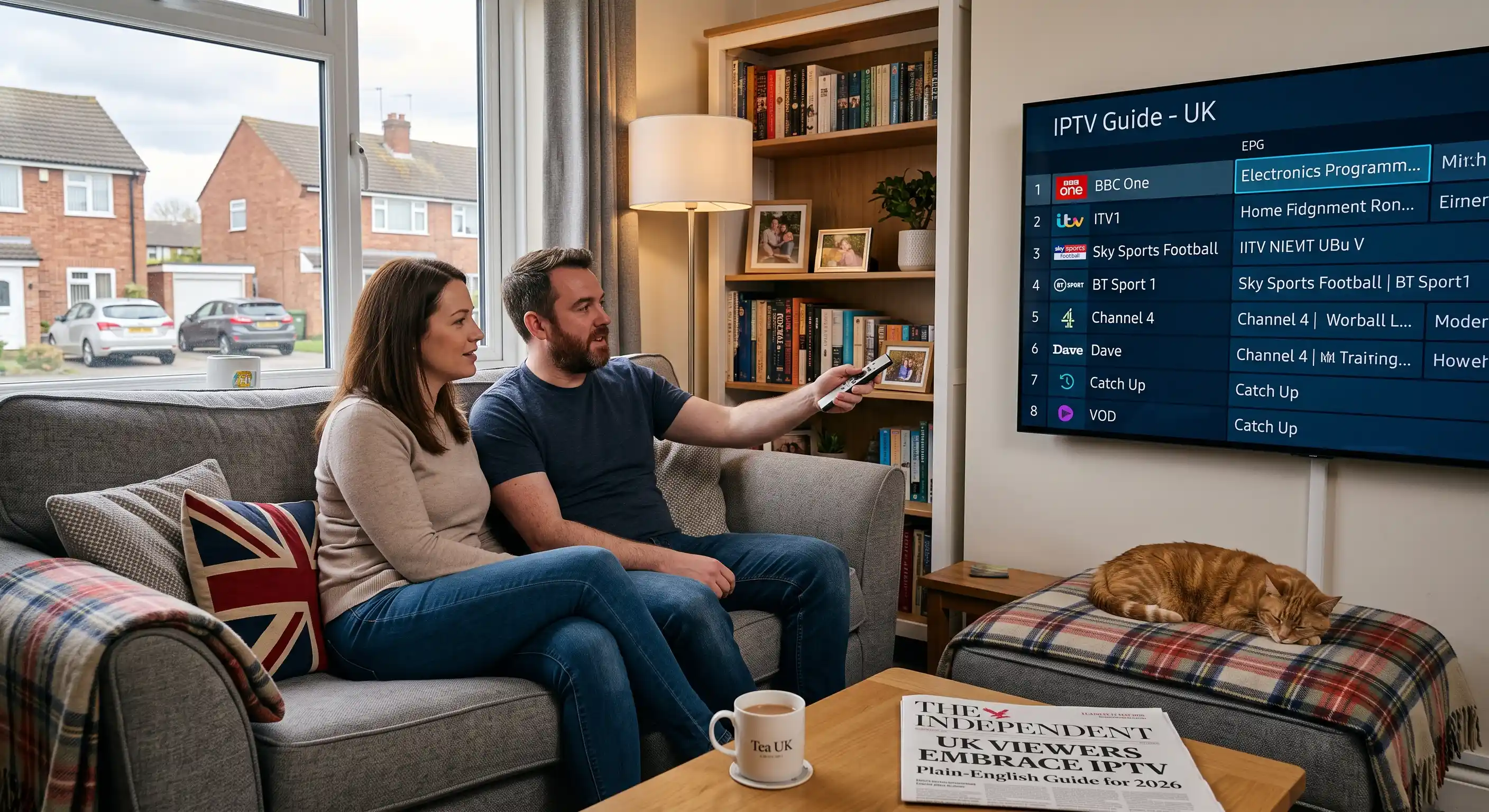
In this guide
What Does IPTV Mean?
IPTV Definition
IPTV stands for Internet Protocol Television. It is a system that delivers television channels and video content through an internet connection (IP network), rather than through a traditional broadcast signal delivered by satellite, aerial or cable infrastructure.
The “Internet Protocol” in IPTV refers to the same technology that delivers web pages, emails and streaming video — the fundamental communication standard of the internet. When you watch IPTV, your TV is essentially receiving a high-speed video data stream over broadband, rather than picking up a radio signal from a satellite or terrestrial transmitter.
You already use IPTV technology more than you realise. BBC iPlayer, ITVX, Channel 4 streaming and Sky Go are all forms of IPTV — they deliver television over your broadband connection rather than through a broadcast signal. What a subscription IPTV service adds is scale: instead of a single broadcaster’s catalogue, you get access to thousands of live channels from around the world, plus extensive on-demand libraries — all through a single app on your existing devices.
In the UK in 2026, IPTV has moved firmly into the mainstream. More than four million UK households now use some form of subscription IPTV service as either a replacement for or supplement to traditional pay-TV. Search interest for IPTV-related terms in Britain has grown by over 200% in the past four years, driven largely by Sky’s subscription prices rising past £80–100 per month for a full package.
IPTV vs Sky, Virgin & Freeview
The UK has three main ways to watch TV. Here is an honest, side-by-side comparison of what each delivers in 2026 — including cost, content and flexibility.
| Feature | Sky / Virgin | Freeview / Freesat | IPTV (UK Spot) |
|---|---|---|---|
| Monthly cost | £55–£100+ | Free | £9.99–£49.99/yr |
| Live UK channels | 200–350 | 70–100 | 10,000+ |
| Premier League / Sky Sports | ✓ | ✗ | ✓ |
| International channels | Limited | ✗ | ✓ |
| Movies & series on demand | ✓ | Limited | ✓ |
| Works on phone / tablet | With Sky Go | ✗ | ✓ All devices |
| Contract required | 18–24 months | None | None |
| Satellite dish needed | Yes (Sky) | Yes (Freesat) | No — broadband only |
| 4K content | Sky Q only | ✗ | ✓ |
| EPG (TV guide) | ✓ | ✓ | ✓ |
| Simultaneous screens | 1–4 (extra cost) | 1 per aerial | 1, 2 or 3 connections |
💡 The key difference in 2026: Sky’s full package with Sports, Cinema and broadband now costs most UK families between £80 and £100 per month. An annual IPTV subscription covering the same live sports and content costs under £50 for the entire year — roughly what Sky charges in a single month.
What Channels & Content Do You Get With IPTV?
A UK IPTV subscription from IPTV UK Spot includes over 10,000 live TV channels alongside a large on-demand library of films and series. The breadth of content available through IPTV is one of the main reasons it has grown so rapidly in Britain — a single subscription covers more than most UK households would ever need.
Live Sports
Premier League, Champions League, EFL Championship, La Liga, Serie A, Bundesliga, Ligue 1, MLS, Formula 1, boxing, MMA, tennis, golf and more — including Sky Sports, TNT Sports, BT Sport and international sports channels.
UK TV Channels
All the familiar UK channels — BBC One, BBC Two, ITV, Channel 4, Channel 5, and their companion channels (BBC Three, ITV2, E4, More4, 5Star and so on) — available live, no iPlayer or ITVX app needed.
International Channels
Arabic, Turkish, Indian (Hindi, Urdu, Tamil, Punjabi), Polish, French, Spanish, Portuguese, German, American and many more — covering virtually every major language spoken in the UK’s diverse communities.
Movies & Series On Demand
Films and box sets available without switching apps. Browse by genre, search for specific titles. New releases and catalogue titles updated regularly. No separate Netflix, Disney+ or Prime subscription needed for many titles.
HD & 4K Streams
High-definition and 4K streams available where the channel and your broadband support it. Most UK channels stream at 1080p HD. 4K is available on select sports and entertainment channels with a stable 25 Mbps+ connection.
Electronic Programme Guide
Full EPG (Electronic Programme Guide) included — browse what’s on now and coming up across all channels, just like a traditional TV guide. Catch-up available on many channels, allowing you to restart or rewind programmes.
Popular channel categories available through IPTV UK Spot:
How Does IPTV Work?
IPTV works by converting television content into digital data packets and sending them over the internet to your device, where they’re reassembled and played back in real time. It’s the same fundamental technology as video streaming — the difference is that IPTV handles live, scheduled broadcasting at scale, alongside on-demand content, through a single service.
The provider receives and encodes the content
An IPTV provider licences or aggregates live TV feeds from broadcasters. These feeds are encoded into compressed digital video (typically H.264 or H.265 codec) at various quality levels — SD, HD and 4K — and loaded onto server infrastructure. IPTV UK Spot maintains redundant UK-based servers to ensure stable delivery during high-demand periods like Premier League matches.
The stream travels over the internet to your router
When you tune to a channel, your IPTV app sends a request to the provider’s server. The server responds by streaming that channel’s data to your broadband router as a continuous flow of IP packets — similar to how a phone call works, but carrying video data rather than audio. This is why broadband speed and stability matter: IPTV is a real-time stream, not a downloaded file.
Your IPTV app decodes and plays the stream
The IPTV app on your device (TiviMate, IPTV Smarters Pro, SS IPTV or similar) receives the data packets, decodes them using the device’s hardware decoder, and plays the video in real time. The app also manages your channel list (populated via Xtream Codes or M3U), the EPG, VOD catalogue and any catch-up functionality. This all happens in under 2–3 seconds when you change channel.
You authenticate with Xtream Codes credentials
Rather than a physical viewing card (as used by Sky), IPTV uses software authentication. Your subscription is tied to a set of Xtream Codes credentials — a server URL, username and password — which your app uses to verify your subscription and retrieve your channel list. These are tied to the number of simultaneous streams your plan allows (1, 2 or 3 connections).
🌐 IPTV and your broadband: HD IPTV uses approximately 4–8 Mbps per stream. 4K uses 15–25 Mbps per stream. A typical UK household on standard broadband (30–50 Mbps) can run 2–3 HD streams simultaneously without issues. Most IPTV buffering is caused by Wi-Fi instability rather than broadband speed — a wired Ethernet connection almost always resolves it.
Minimum broadband speeds for IPTV quality levels:
Which Devices Support IPTV in the UK?
One of IPTV’s biggest practical advantages is device flexibility. Unlike Sky, which ties you to its own hardware (Sky Q, Sky Glass), IPTV works through an app installed on devices you already own. There is no proprietary box to buy — unless you choose to add one.
Amazon Firestick & Fire TV
The most popular IPTV device in the UK. The Fire TV Stick 4K Max (around £60) handles 4K streams, supports Dolby Vision, and runs TiviMate and IPTV Smarters Pro. Easy to sideload apps via the Downloader app. Works on any HDMI TV.
Samsung & LG Smart TV
Samsung Smart TVs (Tizen OS, 2016+) and LG Smart TVs (webOS 4.0+, 2019+) support IPTV natively through their app stores without any extra hardware. SS IPTV is free on both platforms.
Android Phones & Tablets
IPTV Smarters Pro installs directly from the Google Play Store on any Android 5.0+ device. No developer options or sideloading needed — the fastest setup of any platform.
iPhone & iPad
IPTV Smarters Pro and GSE Smart IPTV are both available on the Apple App Store. No jailbreak required. Full Xtream Codes support on iOS 12 and above.
Windows PC & Laptop
IPTV Smarters Pro is available in the Microsoft Store. VLC Media Player can also open M3U URLs directly. Most UK users prefer a Firestick on the TV alongside a PC for maximum flexibility.
MAG Box & Android TV Box
Dedicated IPTV hardware for users who want a dedicated box connected to their TV. MAG boxes use a portal URL. Android TV boxes (NVIDIA Shield, Formuler Z8 Pro) run TiviMate with the best available EPG experience.
📱 Multi-device flexibility: Install IPTV on as many devices as you like with the same credentials — your subscription limits only how many devices stream simultaneously. A 1-connection plan streams on one device at a time; a 3-connection plan allows three at once (e.g., the living room TV, your bedroom and a phone).
How Much Does IPTV Cost in the UK?
UK IPTV subscriptions are significantly cheaper than Sky, Virgin or Now TV — and they come without long-term contracts. Prices vary depending on how long a subscription you take and how many simultaneous connections you need. A one-year plan with a single connection typically costs the equivalent of what Sky charges in a single month.
Compared to Sky’s cheapest bundle (currently around £55/month for Entertainment + Sport), a one-year IPTV subscription costs less than a single month of Sky. The content library — including live sports, international channels and VOD — is typically broader than what Sky offers at any price point.
IPTV subscriptions also require no long-term contract and no upfront hardware purchase beyond a compatible device you likely already own. The only additional cost most UK users face is a Firestick (around £40–60 on Amazon), which is optional — IPTV works on Smart TVs, phones and PCs you already have.
Is IPTV Legal in the UK? (2026)
The short answer
IPTV technology itself is completely legal. BBC iPlayer, ITVX, Sky Go and Netflix are all IPTV services. What determines legality in the UK is whether the provider holds the necessary rights to distribute the content they offer.
IPTV UK Spot operates as a legitimate UK IPTV provider. We do not provide legal advice, and viewers should always satisfy themselves that any service they subscribe to operates transparently and within the law.
In 2026, there has been increased enforcement activity in the UK targeting unauthorised IPTV supply — specifically, sellers of preloaded “dodgy” Firesticks and operators of services distributing content without the appropriate rights. This enforcement is aimed at suppliers, not at viewers of services operated by legitimate providers.
The distinction that matters for a UK viewer is straightforward: a service that operates openly, provides customer support, and is contactable has far more accountability than anonymous resellers selling pre-configured boxes. The services that have faced enforcement action in 2026 are those operating in the dark — no website, no contact information, credentials that stop working without explanation.
For viewers, the practical steps are simple: choose a provider that operates transparently, avoid preloaded “fully-loaded” boxes from market stalls or car boot sales, and use a recognised IPTV player app (IPTV Smarters Pro, TiviMate, SS IPTV) rather than dedicated piracy platforms.
⚖️ The rule of thumb for 2026: If a service operates with a public-facing website, clear pricing, and contactable support — and if you’re using a standard IPTV player app rather than a piracy-specific platform — you are in a very different position from someone who bought a preloaded “fully-loaded” Fire Stick from a market. Enforcement targets the supply chain, not mainstream IPTV subscribers.
Get Started With IPTV UK Spot
Free IPTV Trial — No Payment Needed
Test 10,000+ channels on your device before committing to a subscription. Message us on WhatsApp and we’ll set up your trial in minutes.
Get Free Trial View Plans from £9.99IPTV UK Spot — Quick Facts
IPTV UK — Frequently Asked Questions
IPTV stands for Internet Protocol Television. “Internet Protocol” (IP) is the same communication standard used to deliver web pages, emails and video calls — so IPTV simply means television delivered through the internet, rather than through a satellite signal or physical cable. The term covers everything from BBC iPlayer to large-scale subscription services offering thousands of live channels.
For most UK viewers, IPTV now offers more channels at a significantly lower price with greater device flexibility. Sky in 2026 costs £55–100+ per month depending on the package, requires an 18–24 month contract, and ties you to Sky’s own hardware. A comparable IPTV subscription costs under £50 for the entire year, requires no contract and works on devices you already own. The main area where Sky still leads is reliability guarantees and customer service infrastructure — Sky is a regulated broadcaster with formal obligations, while IPTV providers vary in quality.
No — IPTV works through an app on devices you likely already own. You don’t need to buy any special box. An Amazon Firestick (around £40–60) is the most popular choice in the UK because it turns any TV with an HDMI port into a smart IPTV device, but it isn’t required if you already have a Smart TV (2016+ Samsung or LG, or any Android TV), an iPhone, Android phone or a Windows PC. If you want a dedicated box connected permanently to your TV, options include MAG boxes and Android TV boxes like the NVIDIA Shield, but these are optional extras rather than requirements.
Yes — Premier League matches broadcast on Sky Sports and TNT Sports are available through IPTV UK Spot’s channel library. This includes Saturday afternoon fixtures (the traditional 3pm kick-offs), evening games, Sunday matches and mid-week European ties. Champions League, Europa League, EFL Championship, Carabao Cup and international fixtures are also included. IPTV is how many UK football fans now watch every match without paying for a full Sky Sports subscription.
Xtream Codes is simply the name of the authentication and content delivery system used by most IPTV providers. When you subscribe, you receive three pieces of information: a server URL (a web address), a username, and a password. You enter these into your IPTV player app, and it connects to the provider’s servers and downloads your channel list and EPG. You don’t need to understand how it works technically — you just copy-paste the three credentials into the app’s “Add Playlist” or “Add User” screen. IPTV UK Spot provides clear instructions when we send your credentials.
IPTV buffering is almost always caused by a local connection issue rather than the service itself. The most common cause is Wi-Fi instability — a wired Ethernet connection from your router to your streaming device resolves most buffering immediately. If Ethernet isn’t practical, connect to the 5 GHz Wi-Fi band rather than 2.4 GHz. Less common causes include insufficient broadband speed (you need at least 10 Mbps stable for HD), ISP throttling of streaming traffic in the evenings (switching to a different DNS — such as Cloudflare’s 1.1.1.1 — often helps), or a full app cache (clear it in your device settings monthly).
More buffering fixes →Yes — IPTV UK Spot offers a free trial. Message us on WhatsApp with your device type and we’ll send you trial credentials so you can test the channel quality, stream stability and EPG on your specific broadband connection and device before deciding to subscribe. No payment details are required to receive a trial. This is the best way to assess whether IPTV will work well in your home before committing to any plan.
Request a free trial →TiviMate is widely considered the best IPTV player for UK viewers using a Firestick or Android TV device — it has the best EPG grid, catch-up controls and multi-playlist support. IPTV Smarters Pro is the best all-rounder for users who switch between multiple devices (Firestick, Android phone, iPhone, Windows) because it’s available on every platform. SS IPTV is the best free option for Samsung and LG Smart TV owners — it works natively from the app store with no extra hardware. GSE Smart IPTV is the strongest choice for iPhone and iPad users.
Full IPTV player comparison →
See What IPTV Is Really Like —
Try It Free on Your Device
The best way to understand IPTV is to try it on your own TV with your own broadband connection. Request a free trial from IPTV UK Spot via WhatsApp — no payment needed. We’ll set you up in minutes and you can test 10,000+ channels for yourself before choosing a plan.
No payment · No contract · Works on your existing device · From £9.99/month